
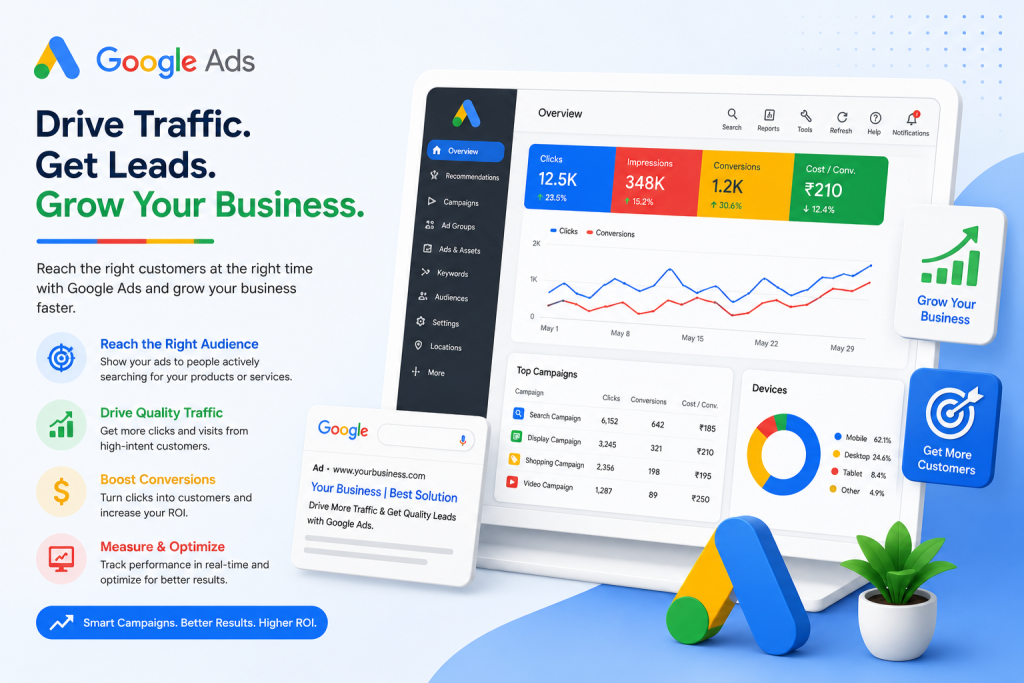
Digital advertising generates a huge amount of data every day. Without proper reporting, businesses can struggle to understand what is working, what is wasting money, and where opportunities exist. Ads reports help marketers track campaign performance, optimize budgets, and improve return on investment.
In this blog, we’ll be Understanding Ads Reports, why they matter, the key metrics to track, and how businesses can use them to improve advertising performance.
What Is an Ads Report?
An ads report is a structured summary of advertising campaign performance across platforms such as Google Ads, Facebook Ads, Instagram, LinkedIn, YouTube, and more. These reports collect data related to impressions, clicks, conversions, spending, audience engagement, and campaign outcomes.
Ads reports can be generated daily, weekly, monthly, or quarterly depending on business needs. They help teams evaluate whether campaigns are meeting marketing goals.
Why Ads Reports Are Important
1. Measure Campaign Performance
Ads reports help businesses understand how well their advertising campaigns are performing across different platforms. They provide insights into user engagement, click behavior, conversions, and audience interaction. By studying this data, marketers can identify which campaigns are driving results and which strategies need improvement. This allows businesses to continuously refine their advertising approach and increase overall campaign effectiveness.
2. Optimize Advertising Budget
One of the biggest advantages of ads reporting is budget optimization. Reports show where advertising money is being spent and whether it is generating meaningful results. Businesses can quickly identify underperforming ads and reduce unnecessary spending. At the same time, high-performing campaigns can receive additional investment to maximize profits and improve return on ad spend.
3. Understand Customer Behavior
Ads reports provide valuable insights into customer behaviour and preferences. Businesses can analyse how users interact with advertisements, what type of content attracts attention, and which audience segments are most responsive. Reports also help identify trends related to device usage, browsing habits, and engagement patterns. These insights help marketers create more personalized and targeted advertising campaigns.
4. Improve ROI
Return on investment is one of the most important goals of digital advertising. Ads reports help businesses measure whether their campaigns are generating enough revenue compared to the amount spent on advertising. By analysing performance metrics regularly, marketers can focus on strategies that deliver higher profits and eliminate approaches that do not contribute to business growth. This improves overall marketing efficiency and profitability.
5. Support Better Decision-Making
Modern marketing relies heavily on data-driven decision-making. Ads reports provide accurate information that helps businesses make informed choices instead of relying on assumptions or guesswork. Teams can evaluate campaign trends, compare performance over time, and identify new growth opportunities. Better decisions lead to improved marketing strategies, stronger customer engagement, and better business outcomes.
Key Metrics in an Ads Report
Impressions
Impressions indicate how many times an ad was shown to users.
Click-Through Rate (CTR)
CTR measures the percentage of users who clicked on the ad after seeing it.
Formula:
CTR = (Clicks ÷ Impressions) × 100
Cost Per Click (CPC)
CPC shows how much advertisers pay for each click.
Conversion Rate
This metric tracks the percentage of users who completed a desired action such as making a purchase or signing up.
Return on Ad Spend (ROAS)
ROAS measures revenue generated for every dollar spent on advertising.
Bounce Rate
Bounce rate reflects how many visitors leave a website without taking further action.
Best Practices for Creating Effective Ads Reports
Set Clear Goals
Before creating an ads report, businesses should clearly define their marketing goals and objectives. A report becomes more effective when it focuses on measurable outcomes such as sales growth, lead generation, brand awareness, or website traffic. Clear goals help marketers track meaningful metrics and avoid collecting unnecessary data. This also makes it easier to evaluate campaign success accurately.
Focus on Relevant Metrics
An effective ads report should focus only on the metrics that are directly connected to business goals. Including too much data can make reports difficult to understand and reduce their usefulness. Marketers should highlight key performance indicators such as conversions, click-through rates, customer acquisition costs, and return on ad spend. This helps stakeholders quickly identify important insights and make faster decisions.
Use Visualizations
Visual elements such as charts, graphs, and dashboards make ads reports easier to read and analyse. Instead of presenting large amounts of raw data, visualizations help businesses quickly understand trends, patterns, and campaign performance. They also improve communication between marketing teams and stakeholders by simplifying complex information. Well-designed visuals make reports more professional and actionable.
Compare Performance Over Time
Analyzing trends helps identify improvements or declines in campaign performance.
Automate Reporting
Automation tools save time and reduce manual errors.
Common Challenges in Ads Reporting
Data Overload
Too much information can make reports confusing. Marketers should prioritize actionable insights.
Inaccurate Tracking
Improper tracking setup may lead to unreliable data.
Cross-Platform Reporting Issues
Different platforms use different metrics and reporting systems, making comparison difficult.
Delayed Data
Some advertising platforms update data with delays, affecting real-time analysis.
Tools for Ads Reporting
Several tools help businesses generate professional ads reports:
- Google Analytics
- Google Ads Dashboard
- Meta Ads Manager
- HubSpot
- SEMrush
- Tableau
- Power BI
These tools simplify data analysis and visualization.
Future of Ads Reporting
Artificial intelligence and machine learning are transforming ads reporting. Modern reporting tools now offer predictive analytics, automated recommendations, and real-time optimization insights.
Businesses are also increasingly focusing on privacy-friendly tracking methods due to changing data regulations and browser policies.
Conclusion
Ads reports are essential for understanding advertising performance and making informed marketing decisions. They help businesses track results, optimize budgets, and improve campaign effectiveness.
By focusing on the right metrics, using clear reporting methods, and leveraging automation tools, organizations can turn raw advertising data into valuable business insights.
In today’s competitive digital landscape, effective ads reporting is not just helpful—it is necessary for long-term marketing success.